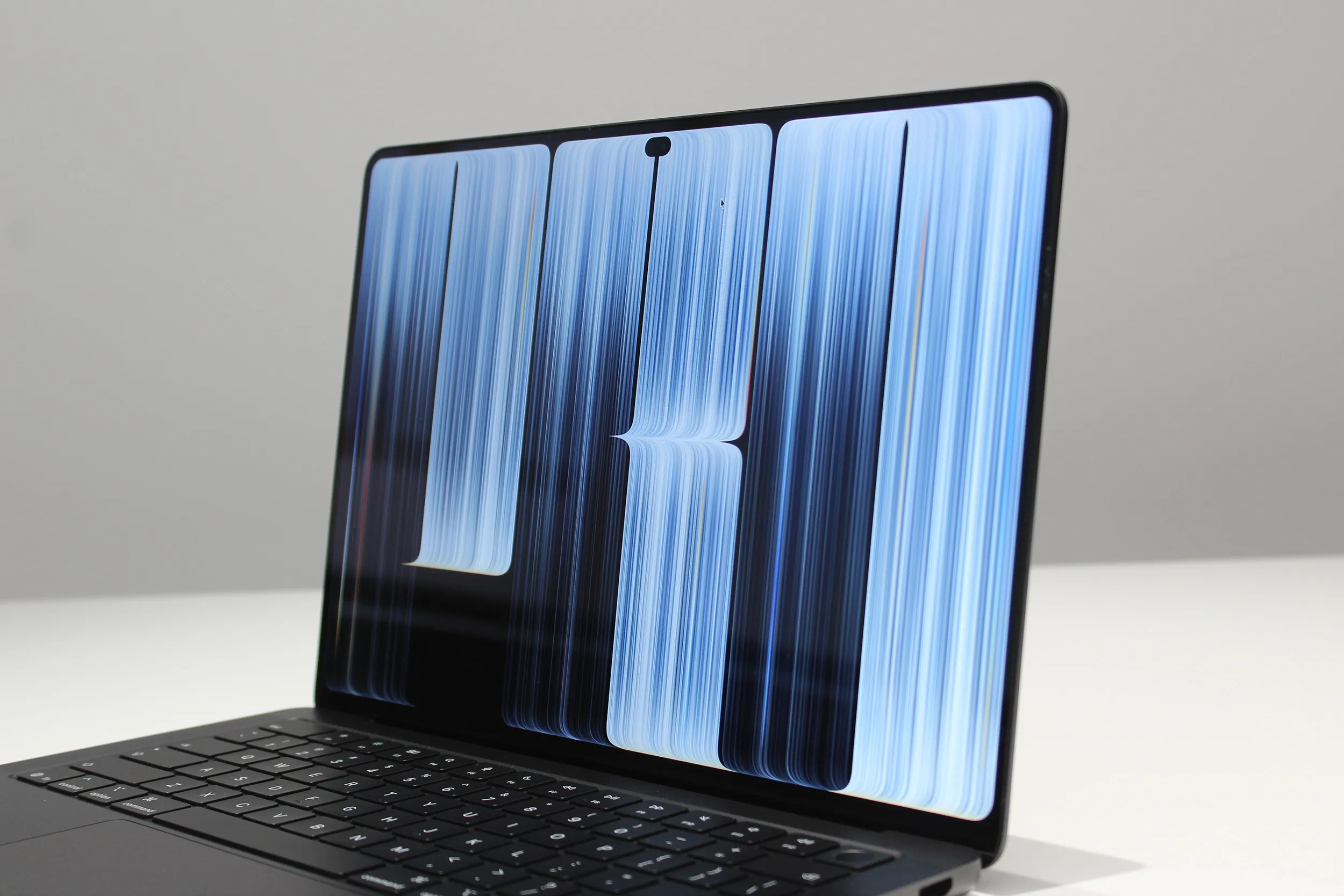
那么,苹果为何等待十余年才推出自家的触控 OLED MacBook Pro?简单的答案是,公司想要以“苹果方式”来做这件事。但在这种情况下,“苹果方式”意味着以某种方式将显示屏亮度推高至 2000 尼特,从而解决 OLED 笔记本电脑始终面临的亮度与眩光两大难题。
So, why did Apple wait over a decade to release its own touchscreen OLED MacBook Pro? The simple answer for the long wait is that the company wanted to do it “the Apple way.”But in this case, “the Apple way” involves somehow cranking up the display to 2,000 nits, solving both the brightness and glare problems that OLED laptops have always suffered from.
今天在洛杉矶的一场媒体活动上亲眼见到实物后,我可以告诉大家:这块屏幕货真价实。
Having seen the thing with my own eyes at a media event today in Los Angeles, I can tell you that this screen is the real deal.
与众不同的 OLED 苹果采用了串联 OLED 面板,即与 OLED 版 iPad Pro 所用相同的层叠技术。然而,真正的创新在于该面板经过优化,实现了 2000 尼特的全新峰值亮度,而这一成果至关重要。
Like No Other OLED Apple is using a tandem OLED panel, the same layer-stacking technology used in the OLED iPad Pro. The real innovation here, however, is that the panel has been optimized to hit a new peak brightness of 2,000 nits, and that’s a result that matters.
单看这个大数字毫无意义,但背景如下。尼特是消费电子行业通用的屏幕亮度标准度量单位。廉价 OLED 笔记本最高仅约 300 尼特。高端 OLED 笔记本或许能达到 1000 尼特亮度——但仅限于更亮、色彩更丰富的高动态范围(HDR)内容,如特定流媒体应用、YouTube 视频和游戏。换句话说,绝大多数使用 OLED 的时间里,屏幕感受上都比普通屏幕更暗。iPad Pro 针对 HDR 内容最高可达 1600 尼特,针对亮度较低、色彩较淡的标准动态范围(SDR)内容则为 1000 尼特。这已经更接近了。
That big number is meaningless on its own, but here’s the context. Nits are the standard measure of screen brightness used across the consumer tech industry. A cheap OLED laptop maxes out around 300 nits. A higher-end OLED laptop might get you up to 1,000 nits of brightness—but only in brighter and more colorful High Dynamic Range content like specific streaming apps, YouTube videos, and games. In other words, the vast majority of the time you’re using an OLED, it’ll feel like a dimmer screen than normal. The iPad Pro can get up to 1,600 nits for HDR content, and 1,000 nits for the less bright, less colorful Standard Dynamic Range content. That’s closer.
但这款MacBook Pro的屏幕则完全处于另一个层次。它是对iPad Pro上串联OLED层叠结构的彻底重新设计,甚至制造工艺也焕然一新。结果是,无论SDR还是HDR内容,它都能以2000尼特的亮度冲击你的双眼。这意味着,无论你是在看一张普通壁纸、一个网页,还是一部支持HDR的电影,你都能感受到那份额外的亮度。我猜想,这正是苹果将其命名为PROLED XDR的原因。在“OLED”和“HDR”这些词未必能说明体验好坏的世界里,需要更有分量的术语。
But this MacBook Pro’s screen is on an entirely different level. It’s a ground-up redesign of the tandem OLED layer arrangement in the iPad Pro, even down to the manufacturing process. And the result is that it can blast your eyes with 2,000 nits of brightness both in SDR and HDR. That means whether you’re looking at some generic wallpaper, a website, or a HDR-compatible movie, you’ll feel that extra brightness. That’s why, I assume, Apple gave it the name of PROLED XDR. In a world where the words “OLED” and “HDR” don’t necessarily indicate how good the experience is, more weighty jargon is needed.
和所有技术一样,更大的数字并不总能给用户带来可感知的差异。但就HDR表现而言,我们已经等了很久,盼着OLED迎头赶上。
As with all tech, bigger numbers don’t always add up to a noticeable difference for the user. But when it comes to HDR performance, we’ve been waiting a long time for OLED to catch up.
HDR,即高动态范围,是衡量色彩深度、亮度和对比度的指标——而在过去,这始终涉及取舍。OLED屏幕可以将每个独立像素变成任何颜色,也可以关闭显示屏上的单个像素。这使得OLED拥有出色的色彩控制和无与伦比的对比度,因为当你关闭一个像素时,它呈现的是绝对的黑色。
HDR, or High Dynamic Range, serves as a measure of color depth, brightness, and contrast—and in the past, this has always involved a trade-off. An OLED screen can turn each individual pixel any color, and it can turn off individual pixels in the display. This allows OLED to have great color control and unbeatable contrast, since when you turn a pixel off, it renders absolutely black.
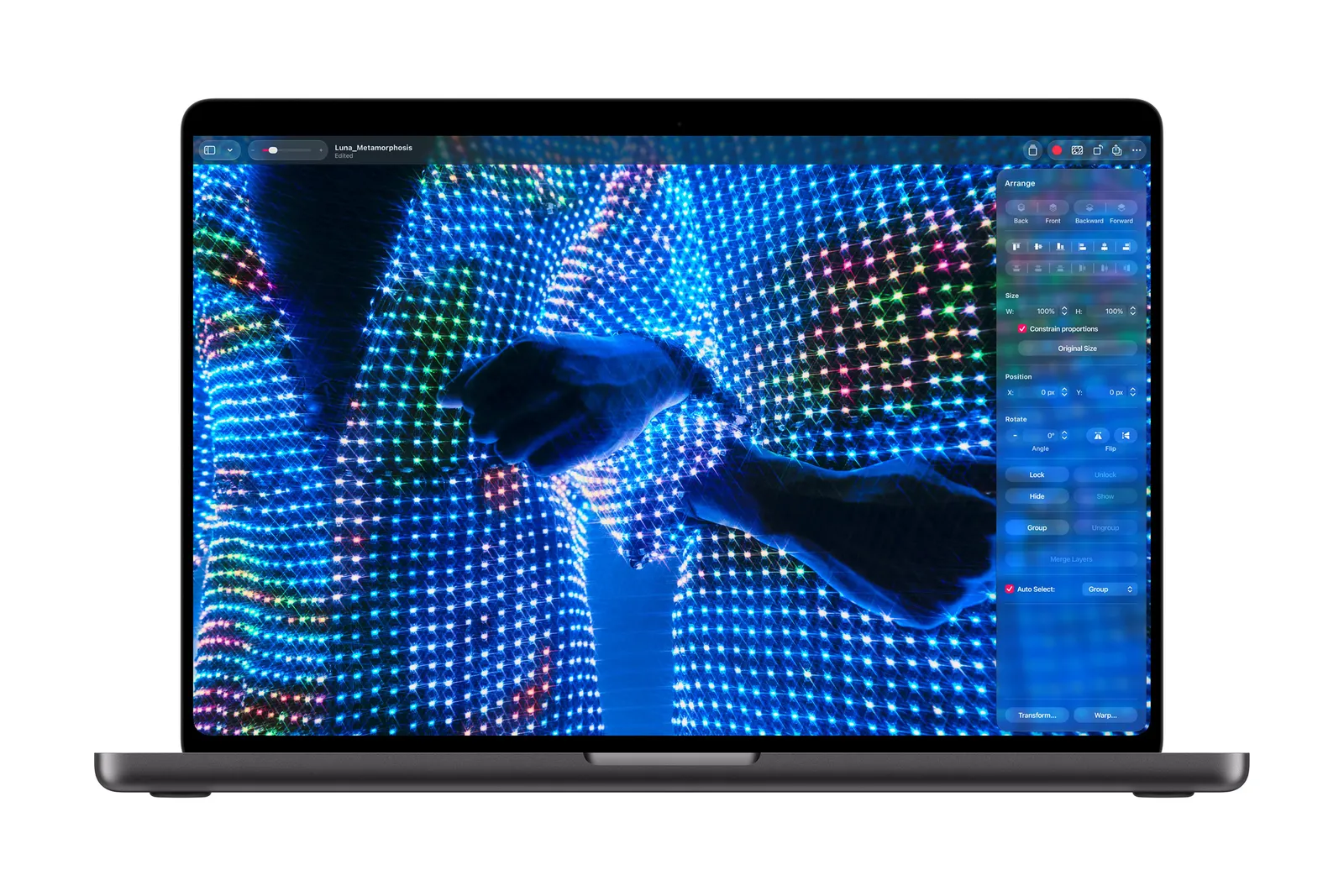
但OLED无法做到超高亮度,而Mini-LED等其他屏幕技术可以亮得多,这正是苹果多年来坚持使用Mini-LED的原因,将其用于MacBook Pro和Studio Display XDR。这项技术让苹果拥有了市面上HDR表现最佳的笔记本电脑。
But OLEDs couldn’t get super bright, and other screen tech like Mini-LED could get much brighter, which is why Apple stuck with Mini-LED for years, using it on the MacBook Pro and Studio Display XDR. This technology allowed Apple to have the laptops with the best HDR performance out there.
随着2026款MacBook Pro的到来,这种取舍不复存在。这块OLED屏幕将亮度和对比度双双收入囊中,而这一点你肉眼可见。
With the 2026 MacBook Pro, that compromise no longer exists. This OLED screen has both the brightness and contrast in its pocket, and you can see it.
OLED面板相比传统背光技术,除了对比度之外还有许多优势。Mini-LED存在一种称为“光晕”效应的问题,即图像中明亮的部分会向周围区域溢光,导致图像中大量细节丢失。OLED彻底解决了这个问题,让每个像素拥有更宽广的控制范围(甚至可以完全关闭)。在我参加的苹果发布会活动中,我们观看了一组高对比度的HDR图像,其中不少图像边缘有大片暗区,看起来就像图像直接消失在了边框里。
An OLED panel has lots of more benefits over conventional backlighting beyond just contrast. Mini-LED struggles with an effect called blooming, where bright parts of images bleed light to the surrounding area, which is where lots of detail is lost in the image. OLED completely fixes that, giving each pixel a much wider range of control (up to completely turning off). As part of the Apple event I attended, we were shown a selection of HDR images with lots of contrast, a number of which had fields of darkness at the edges that made it look like the image simply disappeared into the bezel.
非常漂亮。我们还观看了剧集《寡妇湾》中一段较暗场景的HDR片段,极好地展示了这块屏幕所能呈现的细节范围。
Very pretty. We also watched a darker scene in the show Widow’s Bay in HDR, which was an excellent showcase of the range of detail this screen can show.
新屏幕也让这台MacBook保持极其轻盈。重量的大幅减轻很大程度上来自OLED设计,因为这块屏幕使用了比以往更薄、更轻的材料。尽管这台电脑使用了与上一代MacBook Pro相同的铝制机身,新款14英寸MacBook Pro的重量仅为三磅,比之前轻了12%。
The new screen helps this MacBook stay exceedingly light, as well. Much of the savings in weight comes from the OLED design, since the screen uses thinner and lighter materials than screens past. Despite the computer using the same aluminum chassis as the previous MacBook Pro, the new 14-inch MacBook Pro weighs just three pounds, which is 12 percent lighter than before.
为了给新屏幕提供参照,我们还观看了苹果OLED与一台高端竞品Windows笔记本OLED的对比。差异非常显著,尤其是在偏轴视角下。最差的时候,那台Windows机器的屏幕上可以看到明显的彩虹效应。
To put the new screen into context, we were also shown a comparison between Apple’s OLED and the OLED of a high-end competitive Windows laptop. The difference was striking, especially in off-axis viewing. At its worst, there were visible rainbow effects on the Windows machine’s screen.
不过有一个前提。虽然苹果的屏幕最高可达2000尼特,但通常上限为1000尼特。当笔记本内置的自适应亮度传感器认为你需要提亮时,屏幕亮度会提升至最高2000尼特。因此,只有在户外或极为刺眼的光照条件下工作时,亮度才会达到最高值。上一代MacBook Pro也有这一机制,但程度较低。而在这台机器上,你开箱即获得高出400尼特的SDR亮度,并且还能再提升一倍。
There’s a catch, though. While Apple’s screen can get up to 2,000 nits, it’s normally capped at 1,000 nits. When the laptop’s built-in adaptive brightness sensor thinks you need a boost, the screen’s brightens increases up to 2,000 nits. So the brightness only hits the high end when you’re outside or working under really harsh lighting conditions. The previous-gen MacBook Pros also did this, but to a lesser degree. With this machine, you’re getting 400 more nits of SDR brightness right out of the box, with the ability to crank it up to twice as much.
对于传统低亮度OLED笔记本电脑而言,眩光也是一个问题,而MacBook Pro对此有所改善。当屏幕上呈现更深的黑色时,往往会产生更刺眼的反光。有时情况会糟糕到让你觉得自己在看一面镜子。仅凭亮度,MacBook Pro就在很大程度上压制了眩光和反光,但苹果还使用了其声称的“最先进”防反射涂层。几乎每台笔记本电脑的屏幕都会使用某种防反射涂层,所以人们可以希望苹果的“最先进”涂层至少能与那些涂层持平,但我可以证实,这是我见过的最好的。
Glare is another issue with conventional, low-brightness OLED laptops that the MacBook Pro improves. When deeper blacks are rendered on the screen, it often results in harsher reflections. Sometimes it can get so bad, it feels like you’re looking into a mirror. The brightness alone on the MacBook Pro goes a long way toward overpowering glare and reflections, but Apple is also using what it claims is a “state-of-the-art” anti-reflective coating. Almost every laptop screen uses some kind antireflective coating, so one can hope that Apple’s “state-of-the-art” coating is at least on par with those, but I can attest that this is the very best I’ve seen.
减少眩光和反光的终极解决方案仍然是可选配纳米纹理显示屏,这种显示屏将防反射图案直接蚀刻在屏幕本身,而不是层叠在屏幕之上。14英寸和16英寸机型均可选配这一升级。
The ultimate solution to cutting glare and reflections is still the option for a nano-texture display, where the anti-reflective pattern is actually etched into the screen itself rather than layered on top. That’s available as an upgrade on both the 14-inch and 16-inch models.
伸手触摸它 MacBook Pro屏幕的另一项重大创新是引入了触控。和OLED本身一样,这是我们在许多其他笔记本电脑上已经见过十多年的功能。我原本希望苹果在这方面全力出击,但它对触控交互的运用显得保守得多。(让我们迅速忘掉2016年Touch Bar的失败吧。)具体实现本身令人印象深刻。与屏幕上元素进行交互的感觉和iPad上一样流畅。屏幕还支持许多熟悉的触控板手势,例如双指捏合缩放或三指轻扫切换“空间”。
Reach Out and Touch It The other major innovation happening with the MacBook Pro’s screen is the introduction of touch. Like OLED itself, this is a feature we’ve seen on many other laptops for well over a decade. I came in hoping Apple would swing for the fences here, but its use of touch interaction feels much more modest. (Let us quickly forget the failure of the Touch Bar from 2016.) The implementation itself is impressive. Interacting with elements on the screen feels every bit as fluid as it does on an iPad. The screen also supports many of the familiar trackpad gestures, such as pinch to zoom or a three-fingered swipe to switch Spaces.
最自然的触控手感优化直接取自iPadOS。如果你点击窗口左上角的控制按钮,它们会放大,让你能更精确地选择。你甚至可以抓住窗口并向侧面轻甩,快速进入分屏视图。我最喜欢的优化是能够点按、按住并向下滑动来选择菜单栏中的项目。非常巧妙。然而,我仍然希望在软件层面能有更强的投入。你无法在这块屏幕上使用Apple Pencil,而且MacBook Pro的硬件也没有做任何调整,让触摸屏幕的手感更符合人体工学。
The most natural feeling touch optimizations have been lifted directly from iPadOS. If you tap in the top left windows controls, they zoom in to let you select more precisely. You can even grab a window and flick it to the side to quickly get into Split View. My favorite optimization is the ability to tap, hold, and slide down to select an item within the Menu Bar. Very clever. And yet, I was still hoping for a stronger commitment on the software side. You can’t use an Apple Pencil on this screen, and nothing in the hardware of the MacBook Pro has been adjusted to make touching the screen feel any more ergonomic.
更大的问题在于第三方应用。虽然“触摸即点击”会在所有应用上自动生效,但除此之外的任何优化都取决于开发者。即便是我们在演示中看到的第三方应用,其触控优化程度也参差不齐。
The bigger issue is with third-party apps though. While touch-to-click will work on all apps automatically, it’s up to developers to do any more than that. Even the third-party apps we were shown during demos had varying degrees of touch optimization.
3D建模应用ZBrush就是一个很好的例子。虽然某些方面支持触控,但没有任何控件或菜单具备苹果第一方应用那种实用的优化。希望这一触控选项能被更广泛地采用,但我可以预见这样一种未来:这些“手指优先”的交互方式大多会被遗忘,只剩下偶尔用拇指向下滚动网页。而且我要明确一点:所有这些都已经超出了微软为Windows 11做过的任何触控优化。
The 3D modeling application ZBrush was a good example. While certain aspects were touch-enabled, none of the controls or menus had the useful optimizations that Apple’s first-party apps had. Hopefully this touch option will become more widely adopted, but I can foresee a future in which these fingers-first interactions are mostly forgotten outside of occasionally scrolling down a webpage with your thumb. And let me be clear: All of this is more than what Microsoft has ever done to optimize Windows 11 for touch. (And Microsoft even has Windows 2-in-1 tablets to support!)
(而微软甚至有Windows二合一平板来支持触控!)凭借2026款MacBook Pro,苹果正在加倍押注于对它行之有效的方向:在高端硬件上保持领先。未来几周还有很多针对MacBook Pro的测试要做,但这块OLED屏幕看起来已经像是整个行业未来数年将要追逐的那一块。
With the 2026 MacBook Pro, Apple is doubling down on what’s working well for it: Leading the way in high-end hardware. There’s plenty more testing to do on the MacBook Pro in the coming weeks, but this OLED screen already looks like the one the entire industry will be chasing for years to come.