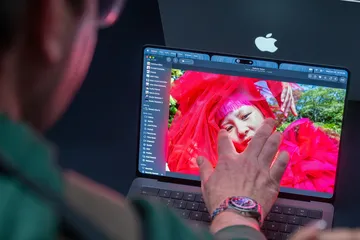
当苹果公司的全新MacBook Pro买家收到该公司的首款触控屏笔记本电脑时,他们不需要抛弃任何习惯就能使用它。这款机器配备了生动的有机发光二极管(OLED)屏幕——这也是该产品线历史上的首次——并且明显减轻了重量。任何担心苹果会为了带来更友好的触控体验而对macOS操作系统做出激进改变的人都可以松一口气了。
When buyers of Apple Inc.’s new MacBook Pro receive the company’s first touch-screen laptop, they won’t need to unlearn any habits to use it. The machine has a vivid organic light emitting diode screen — another first for the lineup — and has shaved off a noticeable amount of weight. And anyone who was worried Apple would make radical changes to its macOS operating system in the name of a more finger-friendly experience can breathe easy.
这款名字拗口的“MacBook Pro PROLED XDR Display”将于11月6日发售,起售价为2899美元。经过对其的上手体验,我确信触控屏幕不会给Mac带来翻天覆地的变化。苹果并没有用滑稽大小的触控目标来取代其桌面操作系统的优雅与精确。没错,你现在可以用多指手势来控制它,但MacBook Pro并没有突然变得更像iPad。
A hands-on preview of the clumsily named “MacBook Pro PROLED XDR Display,” which ships Nov. 6 for $2,899 and up, convinced me that there are no sweeping changes coming to the Mac as a result of the touch screen. Apple isn’t trading the elegance and precision of its desktop OS for comically sized touch targets. Yes, you can now control it with multi-finger gestures, but the MacBook Pro doesn’t suddenly feel more akin to an iPad.
在该公司周三于洛杉矶举行的发布会结束后,我在新款高端笔记本电脑上花时间进行了滑动和滚动操作,我的结论是,苹果在引入触控功能时采取了慎重的方法。
After the company’s launch event on Wednesday in Los Angeles, I spent time swiping and scrolling on the new high-end laptop, and my takeaway is that Apple is taking a measured approach as it introduces touch capabilities.
在用手指操作macOS时,最笨拙的方面是每个窗口左上角的“红绿灯”控制按钮。按照正常比例,这些基础按钮会太小,无法用食指准确点击,因此苹果会短暂放大这三个圆圈,以简化操作,防止你在想放大应用时却不小心将其最小化,反之亦然。但这个动画有点迟钝,在我初期的测试中,整体的实际效果感觉算不上特别优雅。不过,在我进行进一步测试之前,我还无法断定这是否真的会拖慢我的速度。
The clunkiest aspect of using macOS with your fingers are the “stoplight” controls at the upper left of every window. At their normal scale, these essential buttons would be too tiny to accurately tap with an index finger, so Apple briefly enlarges the three circles to make life easier and prevent you from minimizing an app when you actually wanted to make it larger, or vice versa. But this animation is a bit sluggish, and the overall implementation didn’t feel particularly graceful in my early tests. Still, I can’t say whether it will actually slow me down until I do further testing.

对软件的其他调整则更显周到。每当你触摸屏幕时,macOS会自动增加垂直菜单中各项之间的间距,以便在不费力的情况下更容易点击。但如果你坚持使用触控板或无线鼠标,一切都将完全按常规显示。在最基本的层面上,触摸操作会自动转换为鼠标点击,这应该能避免任何软件兼容性问题。
Other tweaks to the software are more thoughtful. Whenever you’re touching the screen, macOS automatically adds more spacing between items in vertical menus so they’re easier to tap without added effort. But if you’re sticking to the trackpad or a wireless mouse, everything appears exactly as it normally would. At the most basic level, touches are automatically translated into mouse clicks, which should avoid any software compatibility issues.
苹果并不指望大多数人会突然在绝大多数计算任务中转向触控屏幕控制,因此我很赞赏这种有意识的做法:在触控时适度加入微妙的改进,同时在其他方面保持熟悉感。我很渴望以更亲自动手的方式来处理和修饰我的照片,或者通过在时间轴周围拖动剪辑来尝试视频剪辑。但让我们现实一点:在大部分时间里,我可能还是会忽略MacBook Pro新获得的触控功能。
Apple doesn’t expect most people to suddenly convert to touch-screen controls for the bulk of their computing, so I appreciate this intentional approach of sprinkling in subtle enhancements whenever it’s being used, while otherwise keeping things familiar. I’m eager to manipulate and retouch my photos in a more hands-on way, or try video editing by dragging clips around the timeline. But let’s be realistic: I’m likely to ignore the MacBook Pro’s newfound touch powers much of the time.
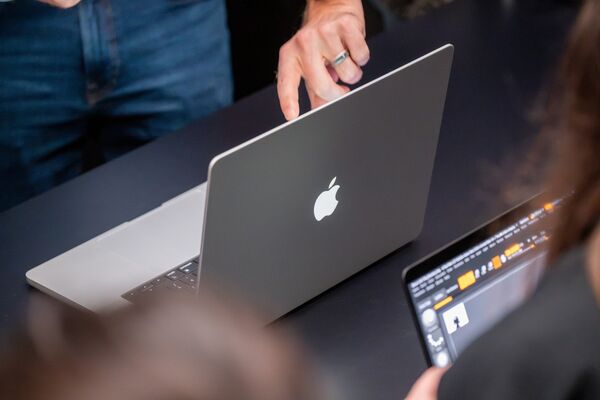
诸如捏合缩放、拖放等日常手势在MacBook Pro上流畅且响应迅速,该机的触控传感器直接内置在OLED面板中,而不是像支持触控的Windows笔记本电脑那样层叠在面板上方。你可以双击窗口使其充满屏幕,或者将应用轻拂到屏幕边缘,以便将其固定在原地进行并排多任务处理。
Everyday gestures like pinch-to-zoom and drag and drop were smooth and responsive on the MacBook Pro, which has a touch sensor built directly into the OLED panel instead of layered on top of it, as is the case with touch-enabled Windows laptops. You can double tap a window to have it fill the screen or flick an app toward the edge of the screen to anchor it in place for side-by-side multitasking.
触控屏幕极大地改善了iPhone镜像(iPhone Mirroring)体验,因为你现在可以像在真正的手机上一样进行点击和滑动。同样,软件开发人员可以以更符合预期用户体验的方式预览其iOS和iPadOS应用。
The touch screen vastly improves iPhone Mirroring since you can now tap and swipe just as you would on your actual phone. Similarly, software developers can preview their iOS and iPadOS apps in a way that’s more faithful to the intended user experience.
周三发布会上回答记者提问的一名苹果员工表示,该公司才刚刚开始优化macOS以适应触控屏幕。我预计明年随着macOS 28的推出,会迎来一系列改进,正如iPhone Duo的用户体验不可避免地会随着iOS 28演变一样。
An Apple employee answering press questions at Wednesday’s event said the company is only getting started optimizing macOS for a touch screen. I’d expect a slew of refinements to arrive alongside macOS 28 next year, much in the way the iPhone Duo’s user experience will inevitably evolve with iOS 28.
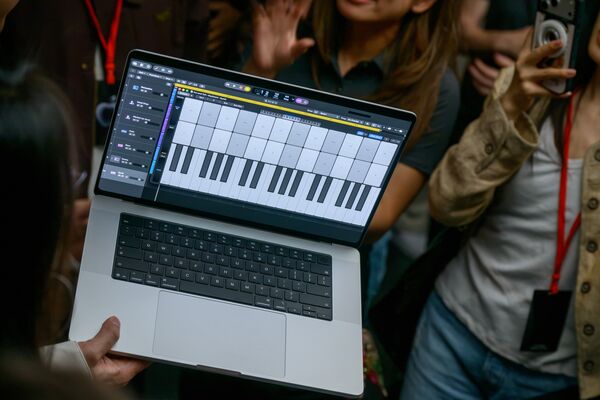
这款新款MacBook Pro在社交媒体上遭到了一些人的严厉批评,他们似乎认为苹果已经失去了对客户需求的了解,在笔记本电脑中硬塞入触控屏幕只是为了这样做而这样做——或者以此为由加价400美元。但这些批评很快就不攻自破了。
The new MacBook Pro was met with harsh reactions from some people on social media, who seem to believe that Apple has lost sight of what customers want and is shoehorning a touch screen into its laptops just for the sake of it — or as a reason to charge a $400 premium. But these critiques quickly fall apart.
一方面,大部分增加的成本可能源于该设备的双层“串联”OLED显示屏,它提供了完美的黑场水平和2000尼特的峰值亮度,同时保持了MacBook Pro系列摄影师和摄像师所要求的色彩准确度。每块面板都经过全面的工厂校准,以确保整个14英寸或16英寸屏幕的一致性。这种井然有序的硬件生产成本不菲。
For one, most of the added cost likely stems from the device’s dual-layer “tandem” OLED display, which offers perfect black levels and a peak brightness of 2,000 nits, all while maintaining the color accuracy that photographers and videographers demand from the MacBook Pro series. Each panel goes through a comprehensive factory calibration to help ensure uniformity across the entire 14- or 16-inch screen. Such methodical hardware production can’t be cheap.
一旦新款MacBook Pro开始发货,我将密切关注这些显示屏在现实世界中的一致性。OLED电视买家可能对所谓的“面板抽奖”很熟悉,即有些显示屏看起来完美无瑕,而另一些显示屏在面板的某些区域可能会有粉色或绿色色调。人们可能会对800美元智能手机的OLED均一性产生强迫症般的关注,因此我预计MacBook Pro将受到更加严格的审视。
I’ll be monitoring how consistent these displays are in the real world once the new MacBook Pro begins shipping. OLED TV buyers might be familiar with the so-called “panel lottery,” where some displays can appear flawless while others might have a pink or green tint in some areas of the panel. People can get neurotic about OLED uniformity with an $800 smartphone, so I’d expect the MacBook Pro to receive far greater scrutiny.
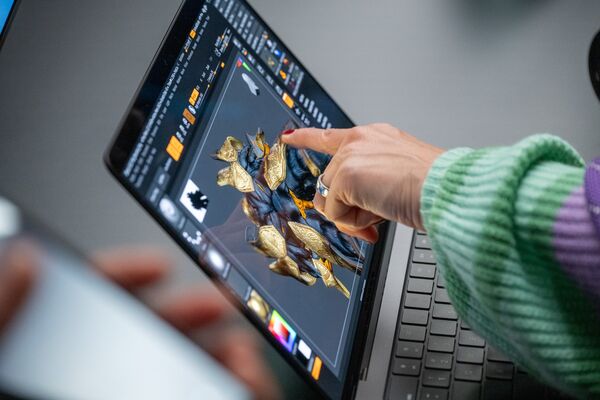
MacBook Pro在两个尺寸上的减重都是立竿见影的。更薄的机身和更窄的显示屏边框则是更微妙的升级。不过,我确实希望苹果能借此机会将面容ID(Face ID)引入其笔记本电脑。鉴于该公司一直在将自己的调制解调器内置到更多设备中,MacBook Pro至今仍缺少蜂窝网络数据功能也同样引人注目。
The MacBook Pro’s reduced weight across both sizes is immediately obvious. The thinner case and slimmer display bezels are subtler upgrades. I do wish, though, that Apple had used this opportunity to bring Face ID to its laptops. The continued absence of a MacBook with cellular data stands out too, given the company has otherwise building its own modems into more devices.
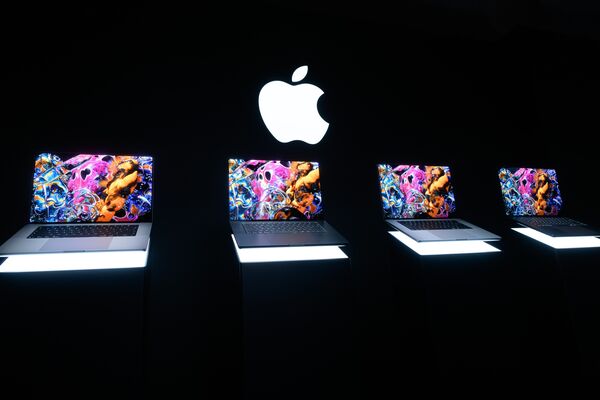
配备PROLED XDR Display的MacBook Pro可能是苹果的首款触控屏笔记本电脑,但最好将这个友好的触控面板视为这台强大机器武器库中的又一个工具。它在有用时会出现,即便你很少使用,我猜仅凭OLED屏幕就能说服一些人这是一次值得的购买——前提是他们能够接受高昂的售价。
The MacBook Pro with PROLED XDR Display might be Apple’s first touch-screen laptop, but it’s best to view the finger-friendly panel as just another tool in the powerful machine’s arsenal. It’s there when helpful, but even if you rarely bother, I suspect the OLED screen alone will convince some people it’s a worthwhile purchase — if they can get past the rich asking price.